01 / Choose your data
Choose your data.
Start with the files you need to protect. Bring them into CryptoSeal, or use the file and folder controls.




Dongle-less · External sharing
Encrypt files with CryptoSeal, without a USB dongle. Share that protected data with approved external parties. Vendors are the usual recipients, and they do not need a hardware key.
Protection, step by step
Follow the file from the data you choose to an approved party outside your organisation.
01 / Choose your data
Start with the files you need to protect. Bring them into CryptoSeal, or use the file and folder controls.
02 / Apply protection
CryptoSeal-XD encrypts without a USB dongle, using software-backed or institutional keys for your deployment.
03 / Share externally
Sharing protected data is part of CryptoSeal-D and CryptoSeal-XD. Vendors are the usual recipients, and they do not need a dongle, so this step uses XD.
Designed around your operations
For teams that encrypt without issuing USB keys, and for sharing protected data with vendors and other approved external parties.
Operate CryptoSeal with software-backed and institutional key paths — less hardware dependency in day-to-day use.
Sharing protected data is part of CryptoSeal-D and CryptoSeal-XD. Vendors usually receive it, and they do not need a dongle, so this exchange uses XD.
Retain CryptoSeal’s encryption engines and central management of users, devices and licences.
Inside the application
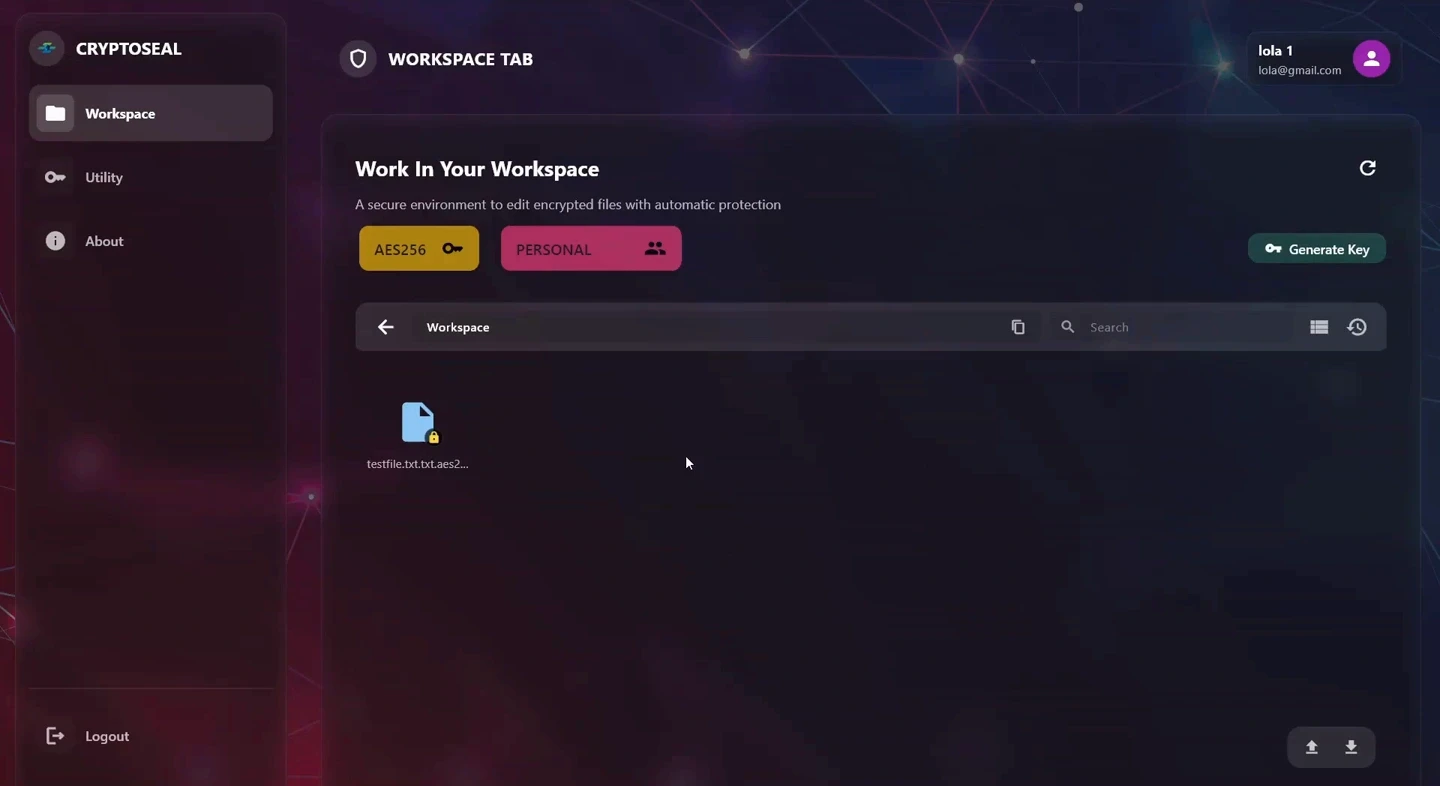
Explore the CryptoSeal desktop application. Bring files into a protected workspace, or use dedicated controls to encrypt and decrypt files and folders.
Choose Import Files, select a file, decide whether to keep the source, and see the encrypted file appear in the workspace.
Dedicated file and folder controls, with an activity console below.
Workspace and Utility are part of the CryptoSeal desktop application. The key model and available features depend on your deployment.
Where it fits
Share protected data with vendors and other approved parties. They do not need a dongle, so this exchange uses XD.
For organisations that need encryption without issuing and managing USB hardware keys.
For teams using software-backed or institutional key paths within the CryptoSeal platform.
Need physical custody of your cryptographic keys?
Discover CryptoSeal-DStart with a conversation
Tell us what you need to secure. We’ll help you find the right CryptoSeal product and deployment model, then put it to work in a proof of concept.
[email protected]